The LINKINFO app suite
Birds
Six free apps, each with its own job, all with the same spirit: for your Mac, your servers, and now your PC too.
The flock
Six birds, one family
Each app is named after a bird and masters its own job. Together, they help you every day to code, transfer, monitor, supervise, write and troubleshoot.
One spirit
What all the birds share
Free
No ads, no hidden subscription, no account to create. A coffee helps fund what comes next.
No middleman
No LINKINFO server reads your files, your passwords or your screens. Secrets stay in the keychain.
Native and lightweight
Fast apps designed for macOS, signed and notarized by Apple. Albatross is also available for Windows.
In three languages
Designed in France by LINKINFO, all available in French, English and Spanish.
01 / 06
Pelican
Code editor with Claude Code
The code editor built around Claude Code: you describe, Claude codes, you stay in control.
- The conversation with Claude Code next to your code, with permissions under control.
- Edit with Claude (⌘K): the proposal shows as a diff, accepted with one key.
- Block-by-block review of every file Claude touched, to keep or undo.
- Parallel conversations, including isolated ones on their own branch.
- Your Claude plan and your limits (5-hour session, week) always visible.
- A project on a server, opened over SSH as if it were on your Mac.
- Claude Code runs on the server, where the code runs.
- Tern built in for files, databases through an SSH tunnel.
- Free, where other editors keep it for their paid version.
- Language servers: live errors, completion, definitions, renaming.
- Python debugger, Tests panel for pytest, Jest and Vitest.
- Partial commits, block-by-block merge conflicts, GitHub, Gitea and Forgejo pull requests.
- 30-day local history for every file, even outside Git.
- PostgreSQL, MySQL and SQLite, including through an SSH tunnel.
- Claude writes your queries from the database schema.
- CSV or JSON export, copy as a Markdown table.
Free. Claude Code requires a Claude subscription (Pro or Max) or an API key.
02 / 06
Tern
FTP and SFTP client
Your servers and your Mac side by side: drag, drop, it's online.
- FTP, FTPS (explicit or implicit TLS) and SFTP over SSH.
- Password or SSH key; passwords stay in the macOS keychain.
- Server fingerprints checked and remembered.
- Your Mac and the server in the same window, drag and drop both ways.
- Rename, create folders, delete, change permissions (chmod).
- Transfer queue with progress, speed and time remaining.
- Sends only new or changed files, in the direction you choose.
- Preview of the actions before starting, to untick if needed.
- Folder and extension exclusions, optional deletion of missing files.
- Open a remote file in your editor: every save goes back to the server.
- Built-in SSH terminal, connected with the same credentials.
- Sites and settings synced through iCloud Drive between your Macs.
Free, with no ads and no account to create.
03 / 06
Raven
Mac monitoring and maintenance
Watches your Mac second by second, warns you when things heat up and cleans house.
- Gauges in the menu bar: CPU, memory, GPU, disk, network, temperature.
- Desktop widget in three sizes, updated every second.
- Dashboard with history from 1 minute to 7 days.
- What kept your Mac busy today, yesterday or this week.
- Adjustable thresholds; an alert only goes off if the overrun lasts.
- Critical memory pressure and overheating always reported.
- Cleanup of caches, logs, Xcode, npm, pip data… measured before deletion.
- Scheduled cleanup, complete uninstall, duplicates, disk map.
- Every deletion is confirmed and goes through the Trash when possible.
- Apps from the App Store, developers and Homebrew checked in seconds.
- Installation with signature and Apple notarization checks.
Free, with no ads and no account to create.
04 / 06
Heron
Server monitoring
Watches over your Linux servers from the menu bar, with an alert as soon as a problem appears.
- CPU, load, memory, swap, disks and network, with 24 hours of charts.
- Selected systemd services, Docker containers, pending security updates.
- Nothing to install on the server: a read-only pass over SSH.
- HTTP response and response time, checked from your Mac like a visitor.
- Certificate expiry, alert 14 days ahead by default.
- These checks keep running even when the server no longer answers over SSH.
- Server unreachable, service stopped, container down: the alert always goes out.
- No alert for every passing spike, a notification when the server comes back.
- An SSH terminal in one click, a restart after confirmation.
- Servers sorted into groups by client, project or environment.
- Uses your ~/.ssh/config and your agent, without storing any secret.
Free, with no ads and no account to create. Linux servers reachable over SSH with a key.
05 / 06
Finch
Lightweight text editor
The lightweight text editor for Mac, in the spirit of Sublime Text: fast, dark by default, built for the keyboard.
- Syntax highlighting for about forty languages.
- Tabs, minimap, folding, two columns and live Markdown preview.
- Logs of several tens of MB opened without lag.
- Multiple cursors (⌘D), Goto Anything (⌘P), command palette (⇧⌘P).
- Duplicate, move, join and comment lines from the keyboard.
- In the file or a whole folder, with or without regular expressions.
- Every match becomes a cursor in one click.
- Encodings detected automatically, line endings preserved.
- Tabs, cursors and unsaved text restored at the next launch.
- Five themes: Mariana, Monokai, Emerald, Breakers and Celeste.
Free and ad-free.
06 / 06 New
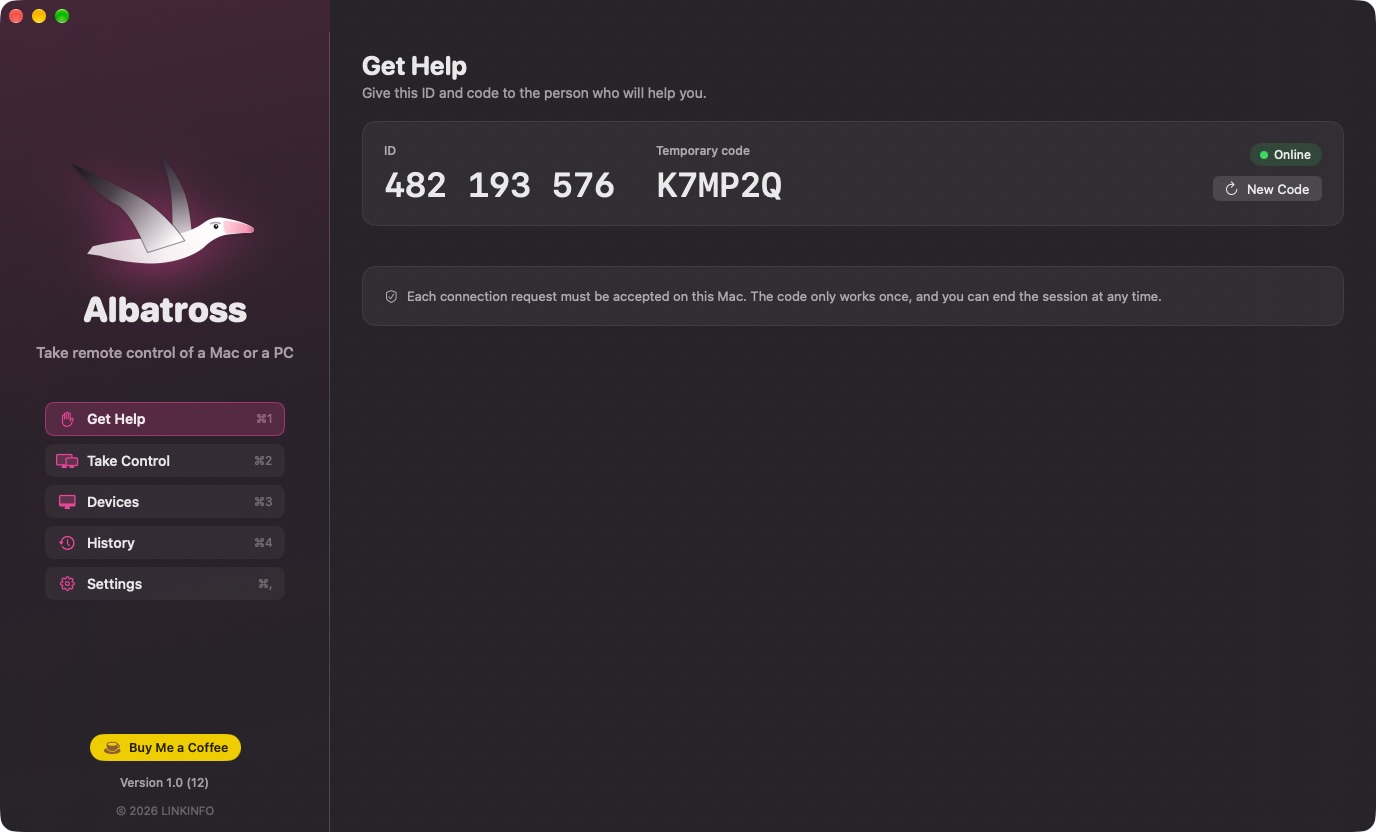
Albatross
Remote support
Take remote control of a Mac or a PC to help a relative or a client: simple, encrypted, free.
- A 9-digit ID and a one-time code, renewed after each session.
- Every request is accepted on the spot, with the name of the person helping.
- Everything is visible, and the session ends in one click.
- The remote screen live, up to 30 frames per second.
- Mouse, keyboard and shortcuts sent to the other computer.
- A Mac helps a PC, a PC helps a Mac: shortcuts keep their meaning.
- Messages during the session, and the history of every session.
- Saved devices: you only need to enter the code.
- Email invitation when Albatross isn't installed yet.
- End-to-end encryption (X25519, ChaCha20-Poly1305).
- The relay passes on bytes it cannot read.
- The temporary code is never sent, attempts are limited.
Free and ad-free. macOS 14 or later, or Windows 10 and 11 (64-bit).
At a glance
Which bird for what?
| App | Its job | Platforms | Languages |
|---|---|---|---|
| Pelican | Code editor with Claude Code | Mac | French, English, Spanish |
| Tern | FTP and SFTP client | Mac | French, English, Spanish |
| Raven | Mac monitoring and maintenance | Mac | French, English, Spanish |
| Heron | Server monitoring | Mac | French, English, Spanish |
| Finch | Lightweight text editor | Mac | French, English, Spanish |
| Albatross | Remote support | Mac and PC | French, English, Spanish |
Installation
Ready in a minute
macOS 14 Sonoma or later, on a Mac with an Apple or Intel chip. Albatross also installs on Windows 10 and 11.
Download
From the app's website: the file lands in your Downloads folder.
Drag to Applications
In the Finder, into your Mac's Applications folder. On a PC, run the Albatross installer.
Open
The apps are signed and notarized by Apple: they open without a warning and update themselves.
Spread the word
A colleague juggling servers, a relative who needs help, a friend who codes? Share the Birds suite with them.
A coffee for the rest of the flight
If one of the birds helps you out, a coffee helps fund the next versions, and the next birds.